How it works & features

One trigger, any reaction.

Build a deck of keys, bind each one to a trigger and a stack of actions, then go live. Here's the whole app — triggers and effects, custom gestures, your own media, and the OBS overlay.

Demo

See it in action.

Watch gestures, overlays, sounds, and instant replays fire in real time — every effect burned straight into the recording, all running locally on one machine.

How it works

When this happens, do that.

Build a deck of keys, bind each one to a trigger and a stack of actions, then go live. That's the whole app.

1

Build your deck

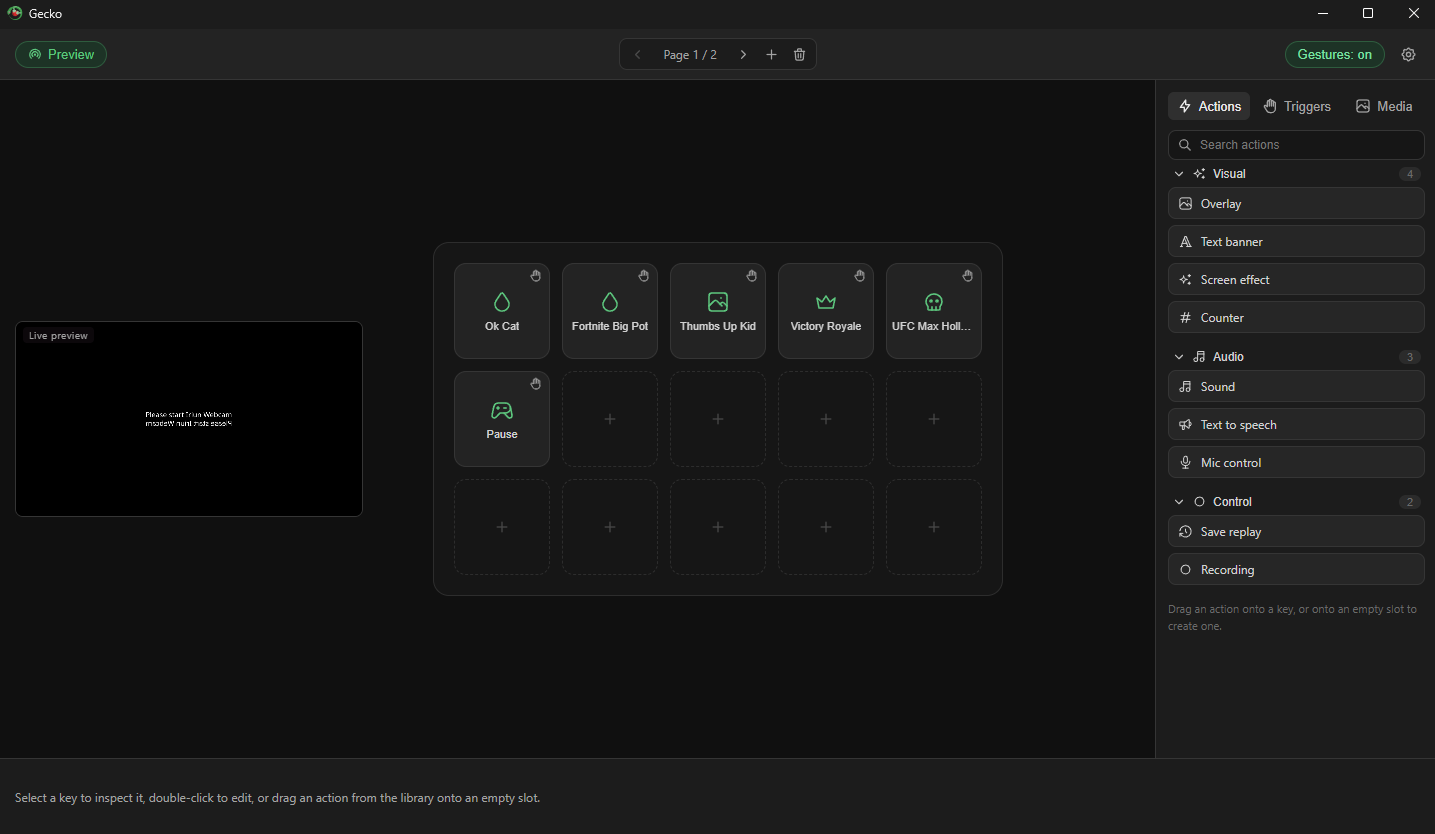
Drag actions onto a Stream Deck-style grid. Each key is a preset: a trigger, the actions it fires, and its own cooldown. Organize across pages, search your library, tweak anything.

Gecko deck editor with a grid of keys and an action library
2

Tune the trigger

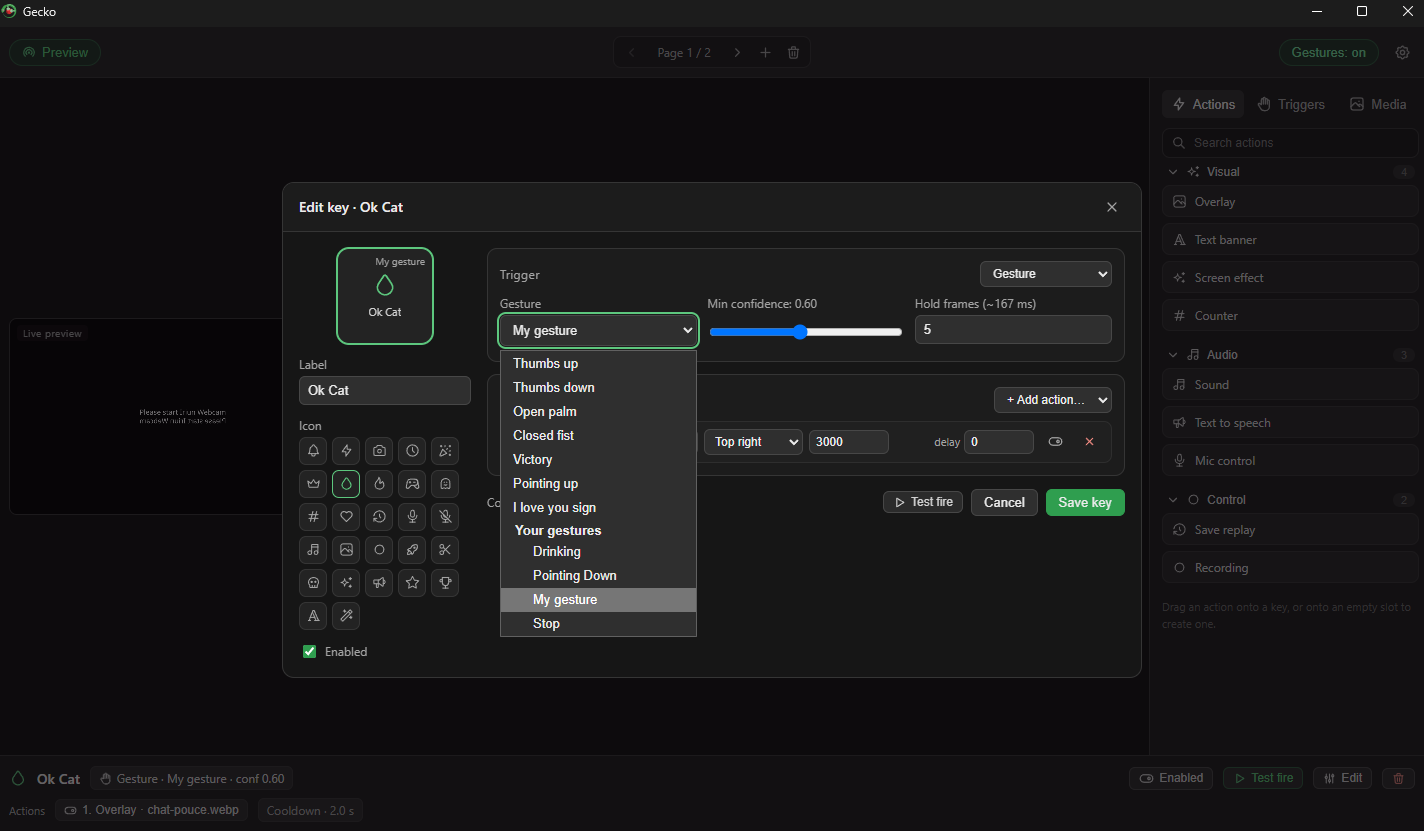
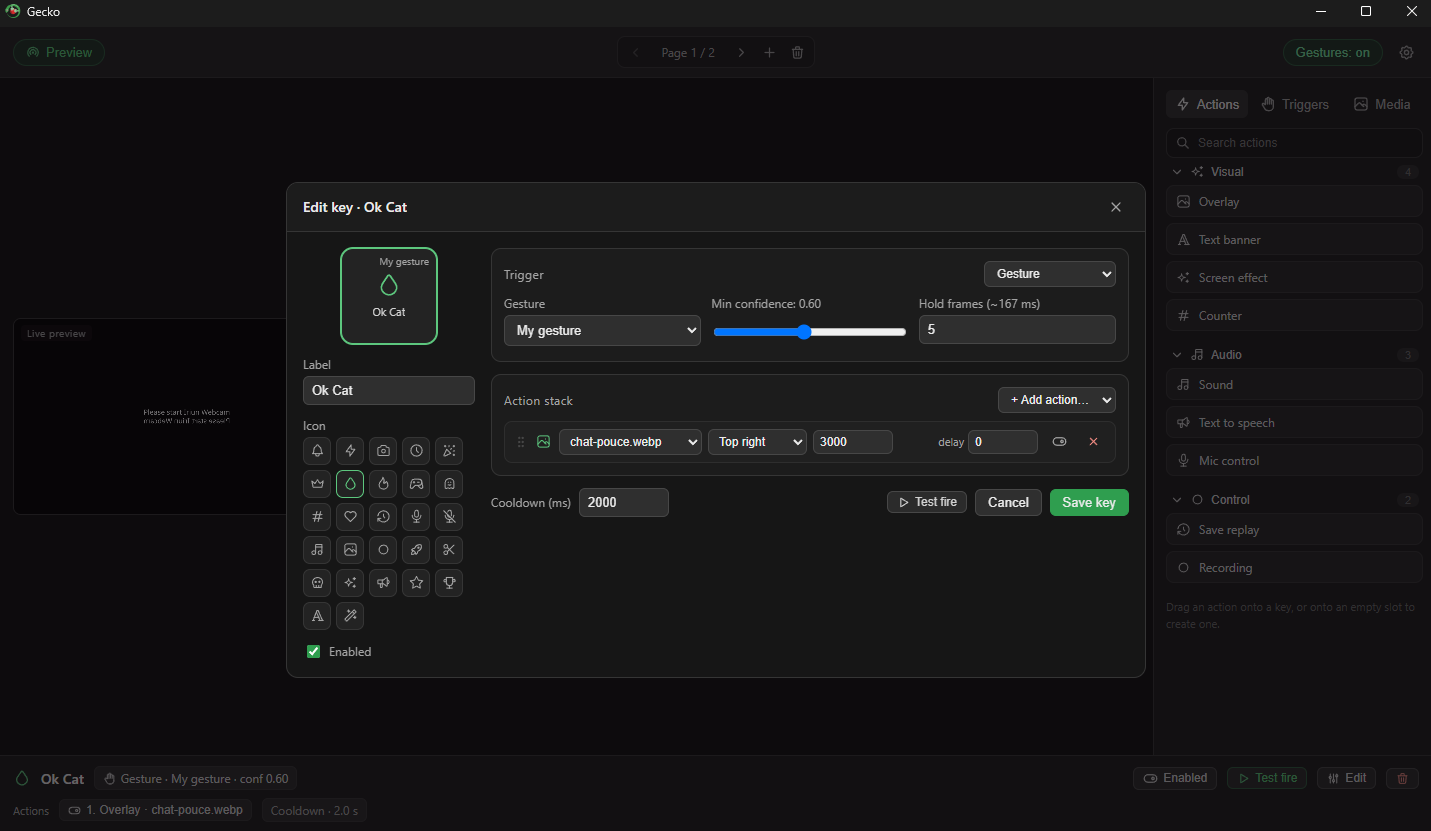
Pick a gesture, expression, sound, hotkey, or timer. Set a confidence threshold, hold-to-confirm frames, and per-key cooldowns so effects fire when you mean it — and only then. Stack multiple actions with per-action delays to choreograph a sequence.

Gecko key editor: gesture trigger with confidence slider and an action stack
3

Go live

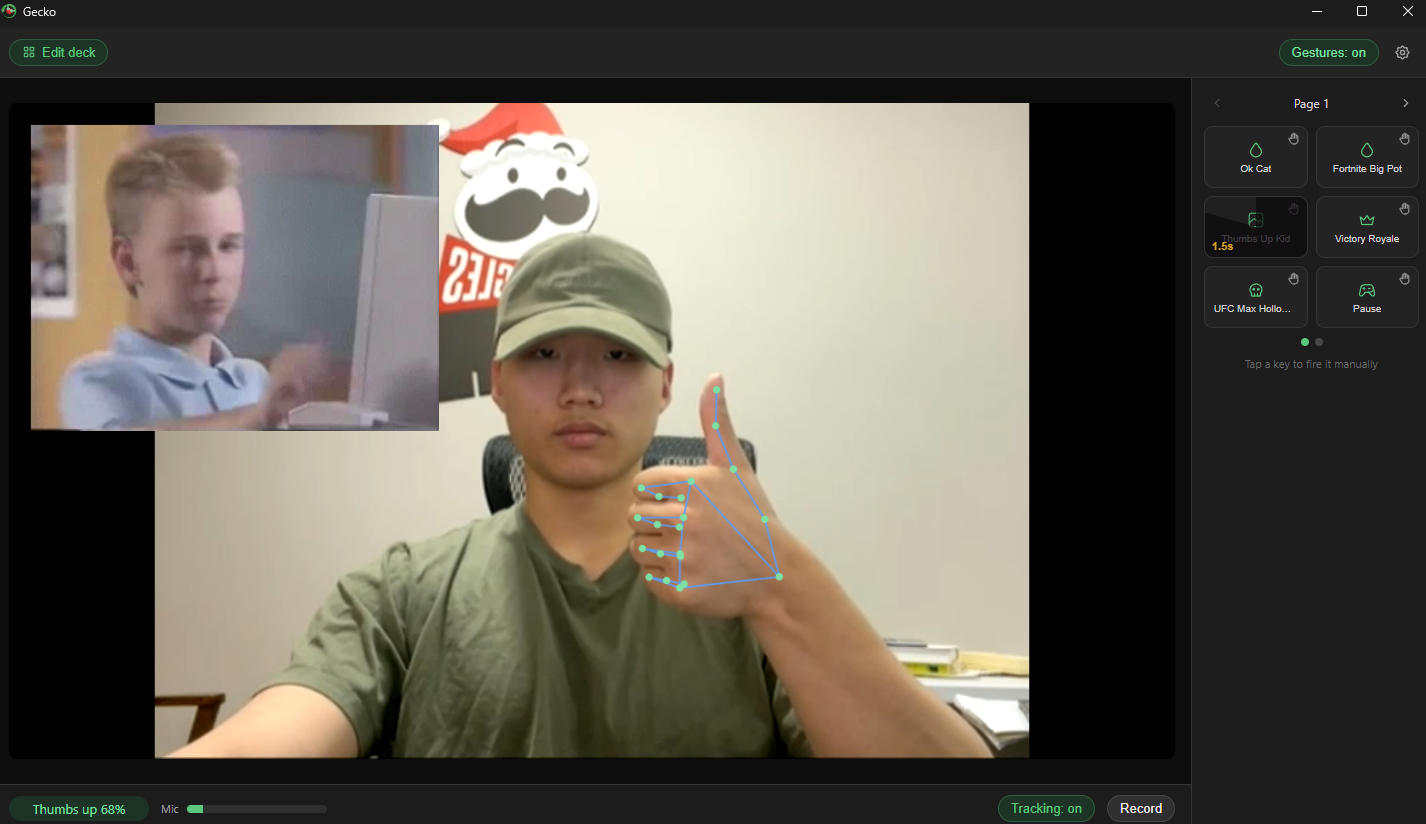
Switch to live mode and just… stream. Gecko watches your camera and mic, fires your presets in under 300 ms, and burns every effect straight into your recording. Tap any key to fire it manually.
A thumbs-up gesture triggering a meme overlay in Gecko live mode
Triggers & actions

Mix and match.

Seven kinds of triggers, nine kinds of actions, any combination.

Hand gestures

Thumbs up/down, open palm, fist, victory, point, ILY — plus any gesture you teach it yourself.

Face & head

Smile, mouth open, eyebrows raised, pucker. Nod or shake your head to trigger too.

Sounds & keys

Clap or yell past a loudness threshold, or press a hotkey — global hotkeys work even while your game is focused.

Overlays & banners

GIFs, images, video, and styled text pills — positioned, sized, and timed however you like.

Sound & speech

Fire SFX mixed into your recording, speak text aloud, or mute/unmute your mic on cue.

Recording control

Start, stop, or toggle recording; save the last ~30 seconds as an instant replay clip; screen shake, flash, freeze-frame, counters.

Custom gestures

Teach it your own moves. (a Gecko Pro feature)

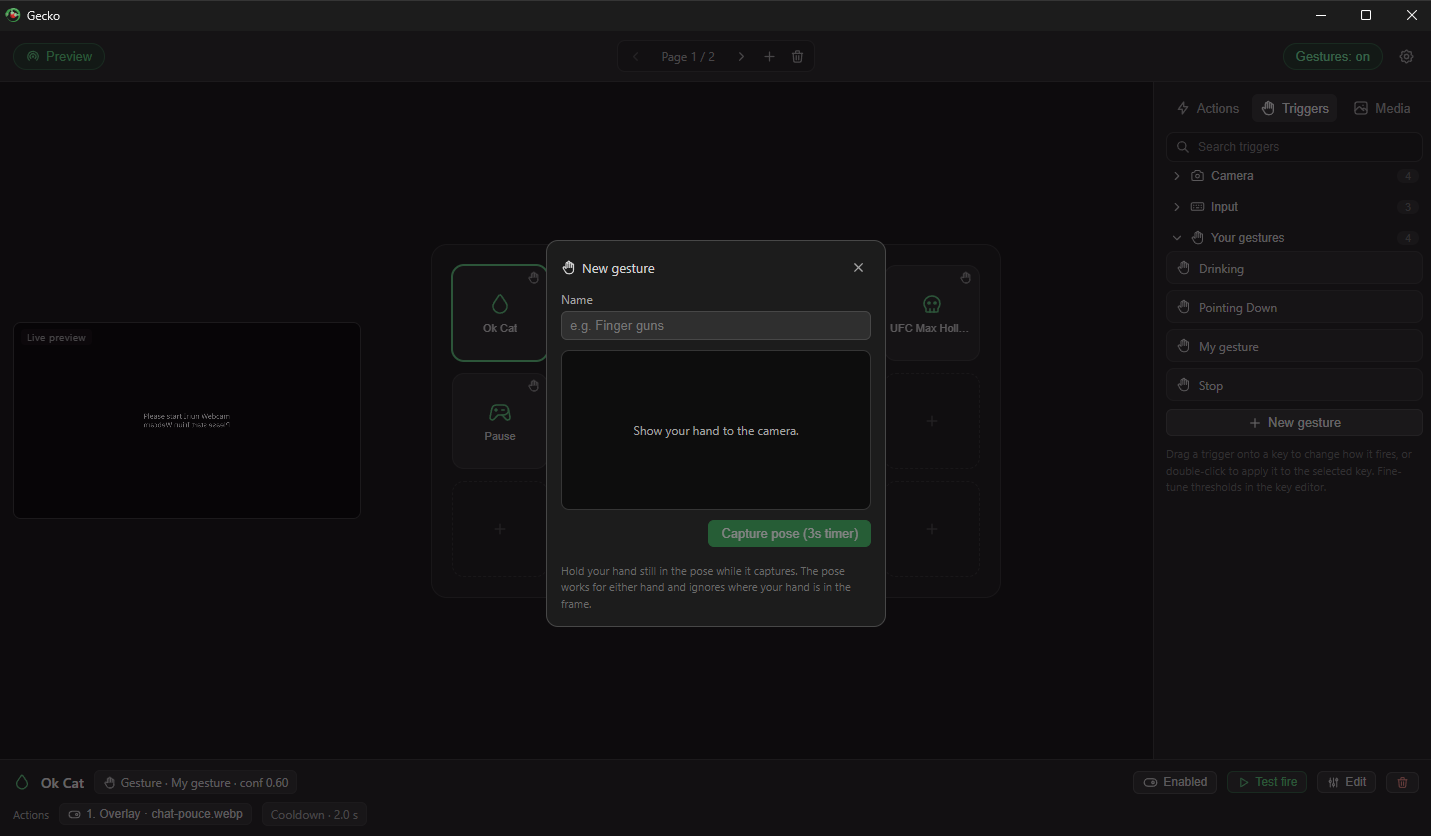
The built-in seven not enough? Show your hand to the camera, hold the pose for three seconds, give it a name — done. Your gestures appear right next to the built-ins, work with either hand, and don't care where in the frame your hand is.

  • Finger guns → air-horn + MLG frame
  • Drinking → hydration counter +1
  • Stop sign → pause the chaos
Recording a new custom gesture in Gecko: show your hand to the camera and capture the pose
Gesture picker listing built-in gestures and your own custom gestures
Your media
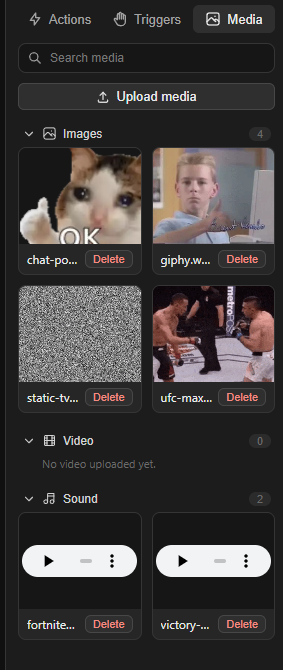
Gecko media library with uploaded GIFs, images, and sounds

Bring your own memes.

Upload GIFs, animated WebP, images, video, and sounds into a searchable library, then drop them onto any key. Preview everything in place. Animated GIFs actually animate — frames are pre-decoded so they play smoothly on the canvas and in recordings.

OBS integration

Lands right in your existing scene.

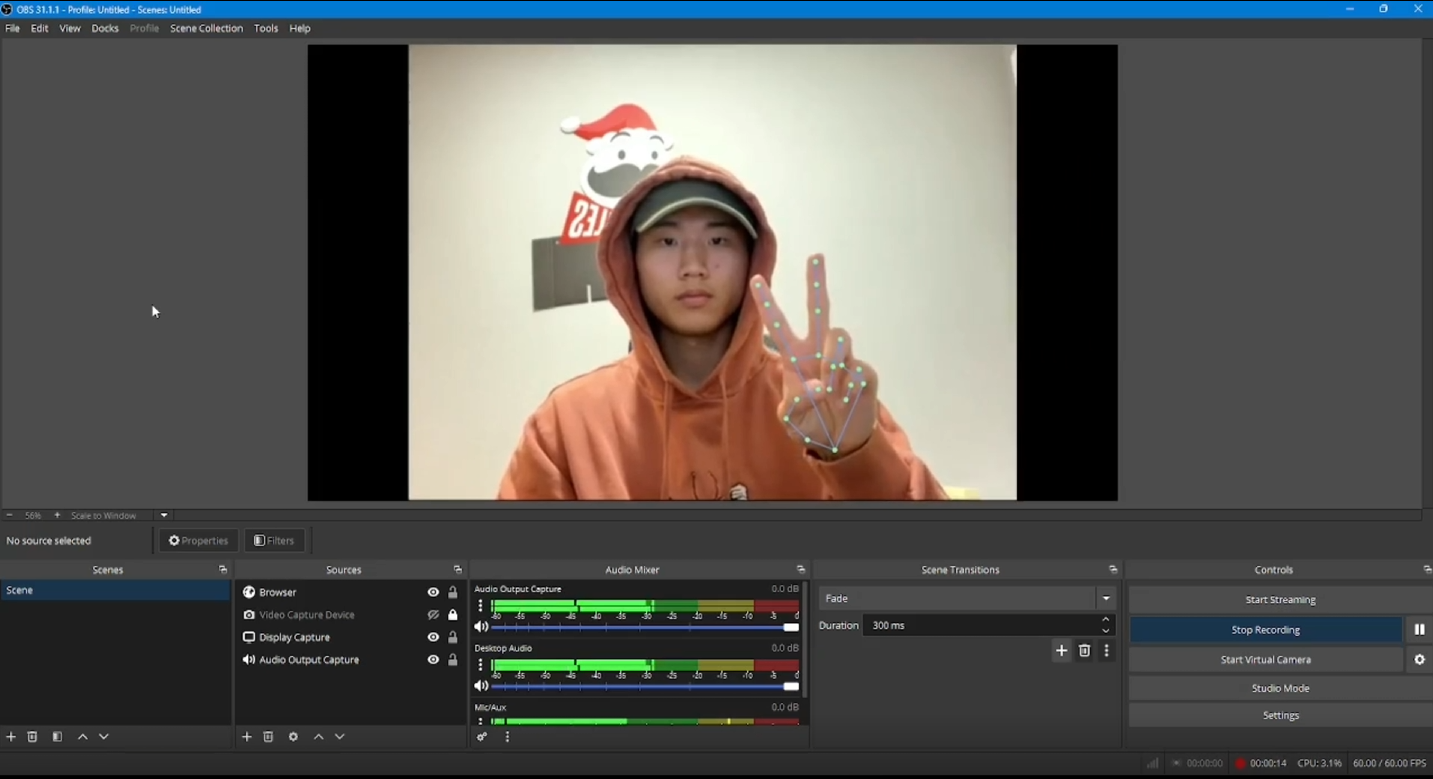
Already streaming through OBS? Gecko ships a transparent browser-source overlay and streams its composited effects to OBS over WebRTC. Add one Browser Source, point it at the local URL, and every overlay, banner, sound, and screen effect renders on top of whatever scene you're running — no green screen, no capture card, no second PC.

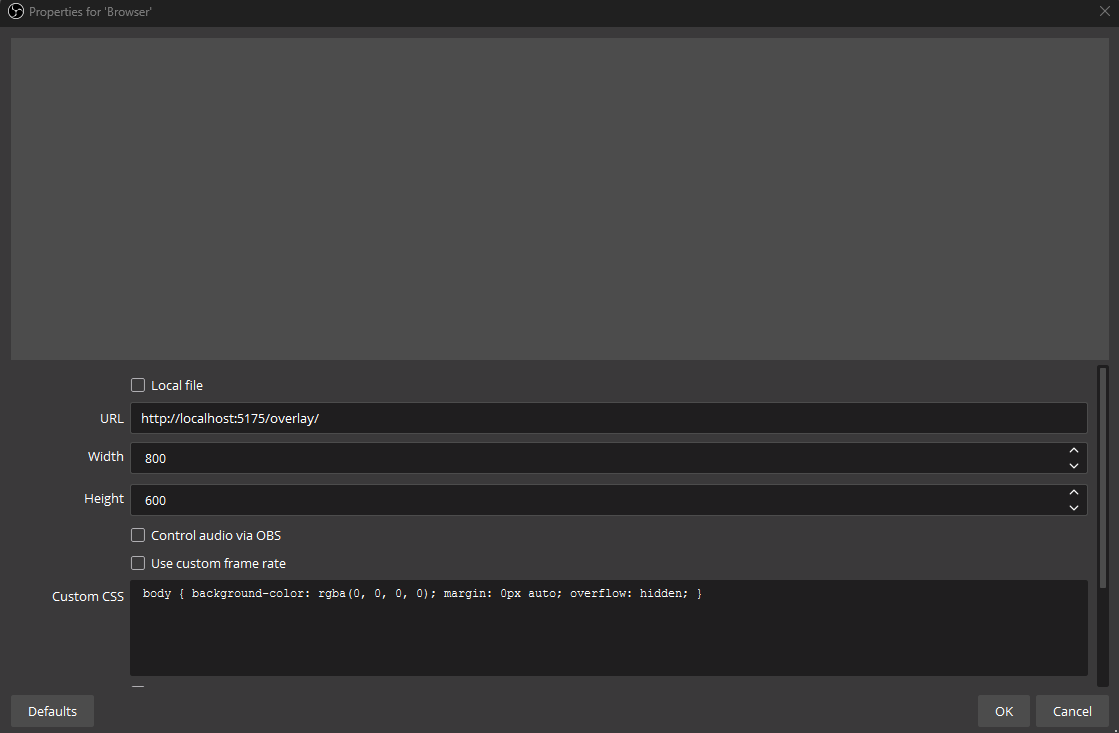
  • One Browser Source — paste http://localhost:…/overlay and you're live
  • WebRTC transport — low-latency, runs entirely over localhost
  • Transparent by design — effects composite cleanly over your game, camera, and alerts
  • Stays local — the feed never leaves your machine, same as everything else in Gecko

Full OBS setup guide → (a Gecko Pro feature)

OBS scene with the Gecko browser-source overlay compositing effects over a gameplay capture
Adding a Browser Source in OBS pointed at Gecko's local overlay URL
1

Copy the overlay URL

Gecko shows a ready-to-paste local address in its OBS settings — one click to copy.

2

Add a Browser Source

In OBS, add a Browser Source to your scene and paste the URL. Size it to your canvas.

3

Go live

Trigger a gesture — overlays and effects appear in OBS in real time, perfectly in sync.

Privacy

Your camera feed never leaves your machine.

Gesture and face detection run on-device via MediaPipe (WASM, GPU-accelerated). The models ship inside the app — no downloads on first run, no telemetry, no cloud processing. Everything in the free app works with the internet unplugged; only Gecko Pro uses an account, and only to remember your purchase.

On-device ML Free tier works fully offline No telemetry Media stays on disk < 300 ms gesture-to-effect
Thank you

Shaped by people who use it.

Gecko gets better thanks to folks who share ideas and suggestions. Want to be on this list? Send a suggestion.